top of page

Unfortunately, the render farm has been throwing a tantrum for the greater part of this week, so I didn't get as far with blocking out my scene as I wanted to as I spent most of my time between last class and now using every computer I could to get a rough lighting render out, but I did decide to get a rough fluid simulation started for the final scene where the Keurig starts up. I know it will likely be a steep learning curve for me and wanted to give myself ample time to problem solve where trouble arises since the Keurig brewing is the last shot and probably the most important one of my project. I've also started some of the RBD simulations in the beginning. I'm generally enjoying piecing this together by starting with rough keyframes and then slowly phasing them out with the simulations as I get to each piece. As the simulations get finalized in the following classes, I will also need to adjust any UVs on models before caching them for final texture/render.


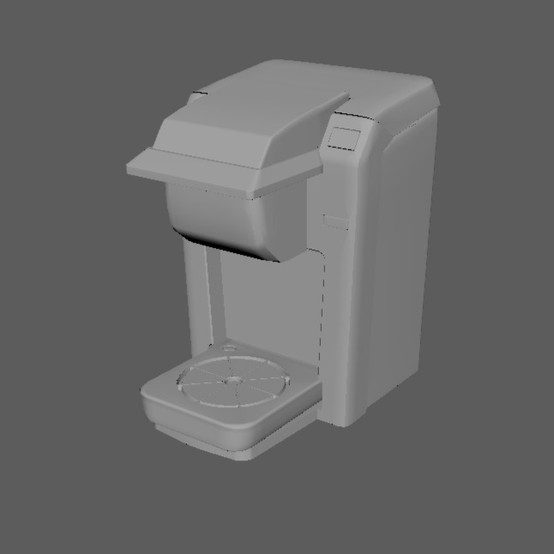
Since there was a long weekend, I wanted to use that time to finish up the Keurig and start previsualization for my opening scene. Below are some screencaps of some of the models.

Bringing the models into Houdini immediately brought up questions, namely how to keep mesh 'groups' and separate pieces of geometry separated instead of importing as one mesh. Thankfully, Houdini was able to recognize the different pieces of mesh as primitive groups, which are easily accessible through group tabs once defined.

ree

The first thing I wanted to tackle was the animation of the clock hands, since I envisioned a close up of the clock striking 7AM and starting the chain reaction. I knew I could keyframe the hands or do a simple procedural "by frame" animation in a rotation transform, but I had a method of procedurally animating the hands that would start and stop and enhance the ticking effect of the alarm in a loop.

ree

The rate pictured in the screencap controls the number of degrees in which the hand

rotates around the pivot point (the rate for the second hand is six since there are 60 seconds in a minute and 360 degrees in a circle; the negative sign is just so the hand will rotate clockwise). The static and rising variables determine how many frames the hand will rotate and pause, respectively, so I set those both at 12 (added together is 24 frames, which aligns with a true second of animation). Once I was able to get that functional, I used the same methods on the minute and hour hand, slightly adjusting the rates and static/rising to go slower and move in smaller degree increments. I also adjusted the position of the hands to be closer to 7AM in a separate transform node before applying the procedural rotation. I was able to affect only the hands in the group node since they were separate pieces of mesh in my Maya file.


ree

Once the hands all matched, I moved on to the shaking of the

bells, ringer, and alarm as a whole. Since the ringer cannot constantly be ticking like the hands of the clock, I couldn't do a looped animation. My solution for this was to have the ringer be static, but to feed in a transform node to the same source file and use a switch node to toggle between the animated and the static based on the frame in which all the hands hit 7AM. For the ringer animation, I used a sine function and multiplied by some large numbers to get a (very) fast swinging effect of the ringer between the bells. I then used an if statement to trigger the switch node and applied the same techniques to the alarm

as a whole and the bells, utilizing both separate transform nodes and primitive groups.

ree

Just to finish up the current shot, I quickly keyframed the position of the shaking clock so that it falls off the nightstand it is on. I added a quick camera move and some extremely preliminary lighting and here is my rough animatic for my opening scene.


Of course this is a very rough block out of the scene with minimal lighting, set dressing, and so on, but I'm happy with the current state. Ideally in the beginning shot there is some visible atmosphere and ambient noise for sound design (birds chirping, leaves rustling, etc.), so it's not as 'sit and wait' feeling on the opening frame. The next step in the process is to piece together the next parts of the machine.


  • Elizabeth House
  • Jan 12, 2022
  • 1 min read

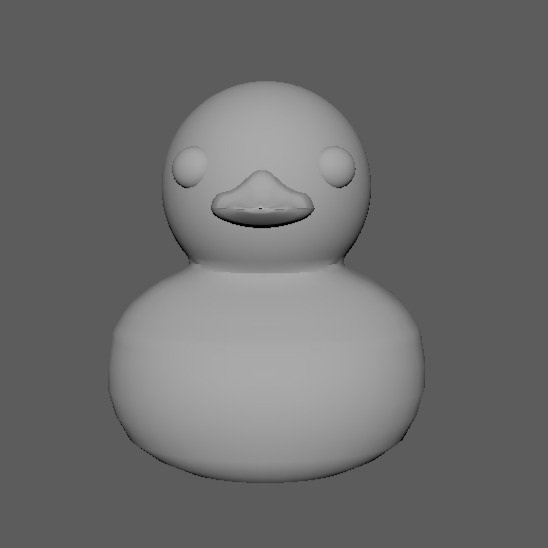
For this class, I was aiming to have all of my hero assets modeled. That goal was 90% successful. I had a few issues with sculpting the rubber ducky (with MUCH trial and error), but I was able to get to a progress point where I feel confident I will be able to start piecing together primitive simulations and potentially an animatic for class five.


Since starting the Keurig is the whole purpose of my Rube Goldberg machine, I wanted to make sure it was as detailed as possible. The current version of this model is still missing a few elements like the grooves in the catch tray and the brew buttons (and a mug!!) but I was able to get the top and bottom parts of the spout to move which was one of my initial concerns with this make of Keurig machines.

bottom of page